- Published on
Aspire - Where should the configuration live? A Decision Framework
10 min read- Authors

- Name
- Daniel Mackay
- @daniel_mackay

- Introduction
- Prerequisites
- The TL;DR: where does each thing live?
- Why "where" matters: the .NET config precedence chain
- The three runtime topologies you actually have
- The decision rules in full
- One canonical example, end-to-end
- Summary
- Resources
Introduction
A while back I was helping a team untangle the configuration story for a modular monolith they'd built on .NET Aspire. Nine hosts orchestrated by an AppHost, a handful of integration test projects backed by Testcontainers, and the usual production deploy into Azure Container Apps with Key Vault behind it. Everything worked. Everything also drifted: model names duplicated across hosts, and an API key that turned up in three different user-secrets stores.
Configuration in a single ASP.NET Core app is straightforward. Configuration across an AppHost, integration tests that bypass Aspire, and a deployment pipeline swapping in real secrets is messier. The bytes all land in the same IConfiguration in the end, but they take very different paths to get there, and putting a value in the wrong layer is the kind of mistake that surfaces three months later when someone wonders why the staging override never took effect.
Here's the decision framework I wish someone had handed me on day one.
Prerequisites
- Familiarity with .NET Aspire and the AppHost orchestrator model
- Comfortable with
IConfiguration,appsettings.json, anddotnet user-secrets - A passing acquaintance with integration testing via
WebApplicationFactory
The TL;DR: where does each thing live?
If you only want the answer, it's the table below. The rest of the post is the why.
| Category | Project |
|---|---|
| Cross-host static defaults | AppHost |
| Single-host static defaults | Host |
| Dev-only overrides | Host |
| Aspire-managed connection strings | AppHost |
| Cross-host secrets | AppHost |
| Single-host secrets | AppHost |
| Test connection strings | Test project |
| Test secrets that hit real cloud | Test project |
Or as a decision flow, if you prefer walking the question rather than scanning the table:
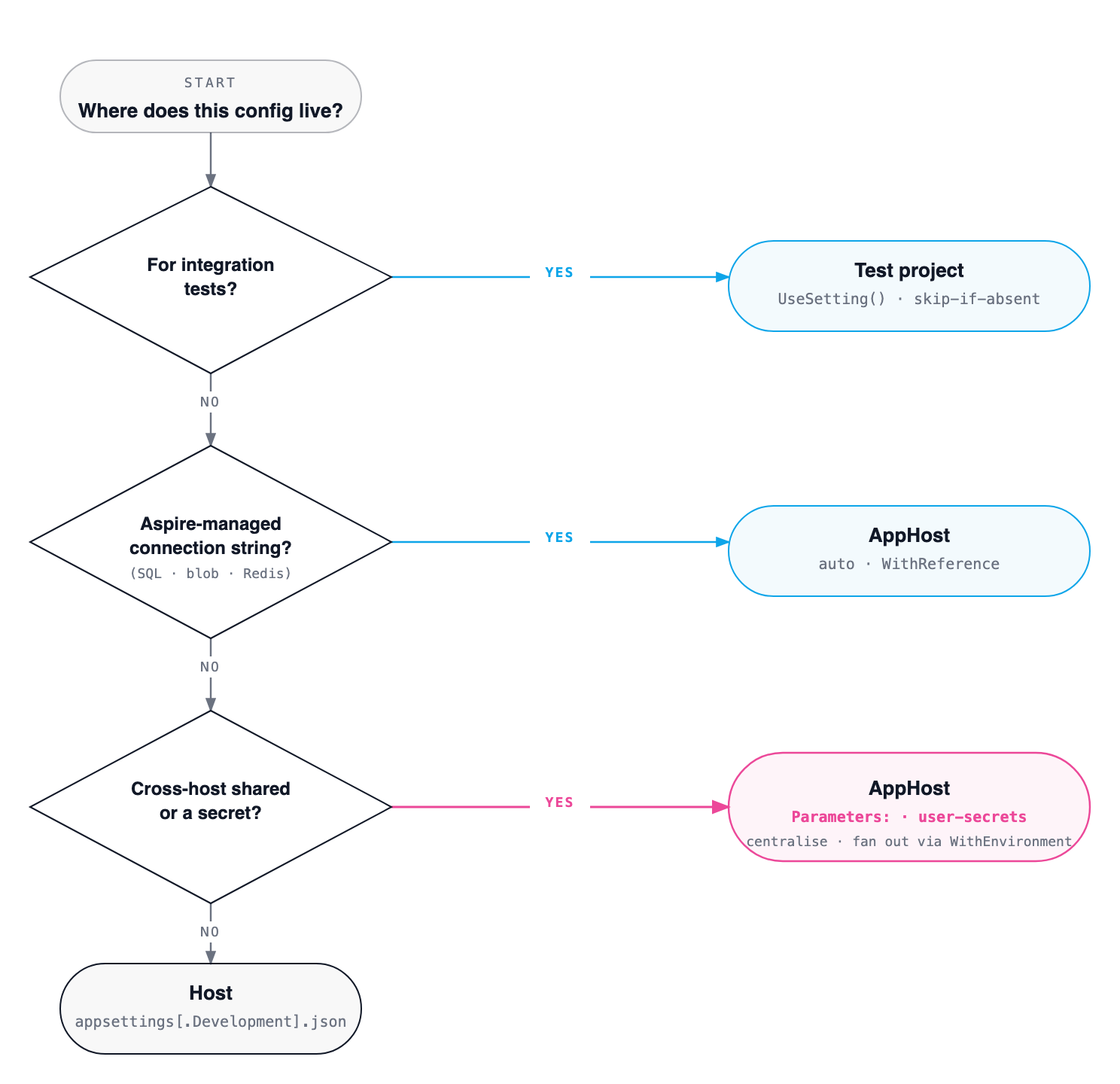
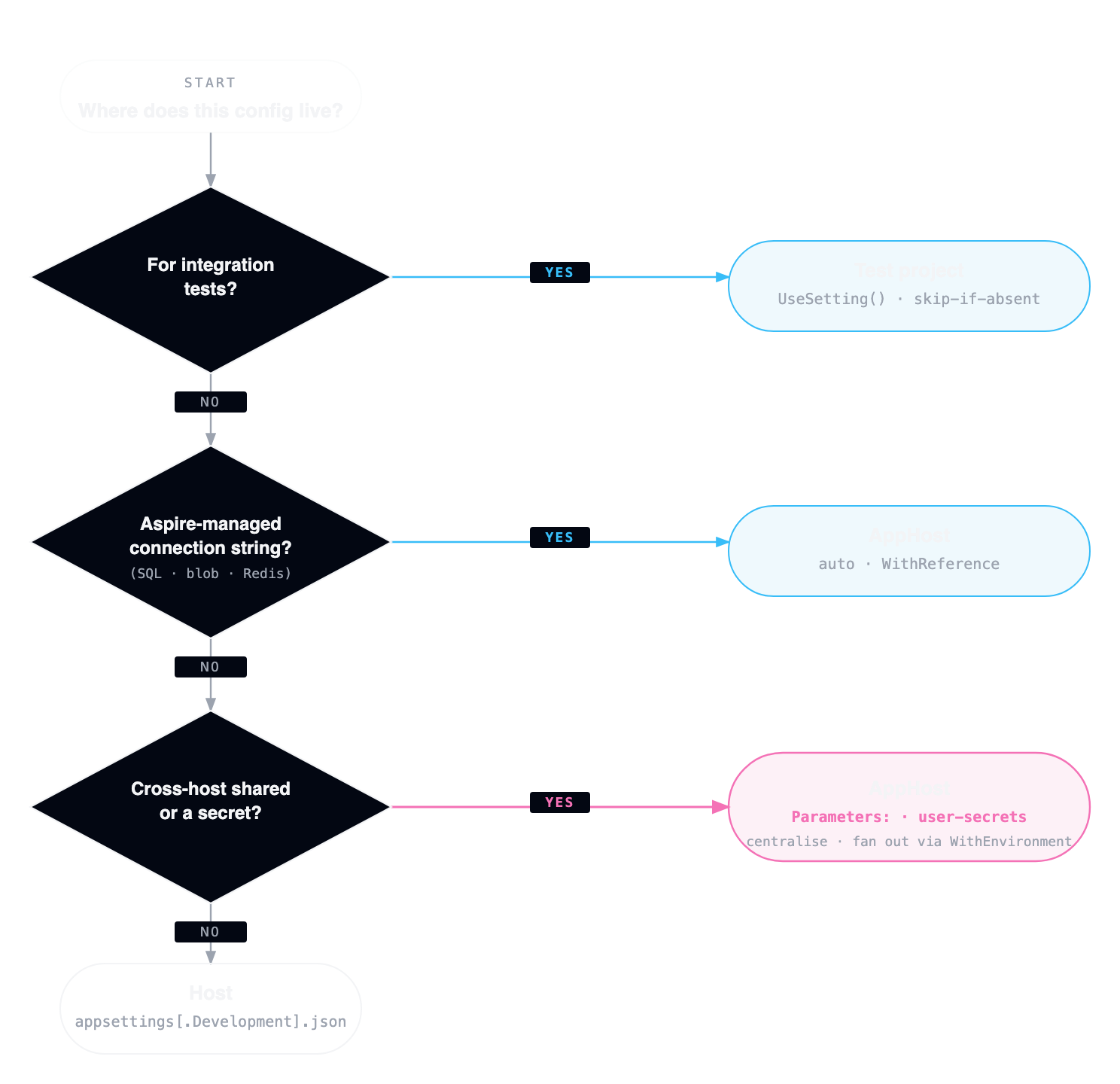
The one that surprises people: single-host secrets still go through the AppHost, not the host's own user-secrets. Technically a secret only one host reads could sit in that host's UserSecretsId store. In practice, every secret going through Aspire's AddParameter(secret: true) means the Aspire dashboard prompts for missing values on first run. A new developer clones the repo, runs aspire run, fills in what the dashboard asks for, and is unblocked. No hunting through csproj files for the right UserSecretsId. One place to look, one place to rotate.
Why "where" matters: the .NET config precedence chain
Is the choice of location just aesthetic? Not even close. .NET layers configuration sources, and each layer overrides the previous one. Put a value in the wrong layer and it gets silently overwritten somewhere else. Usually you don't notice until after a deploy, which is the worst time to find out.
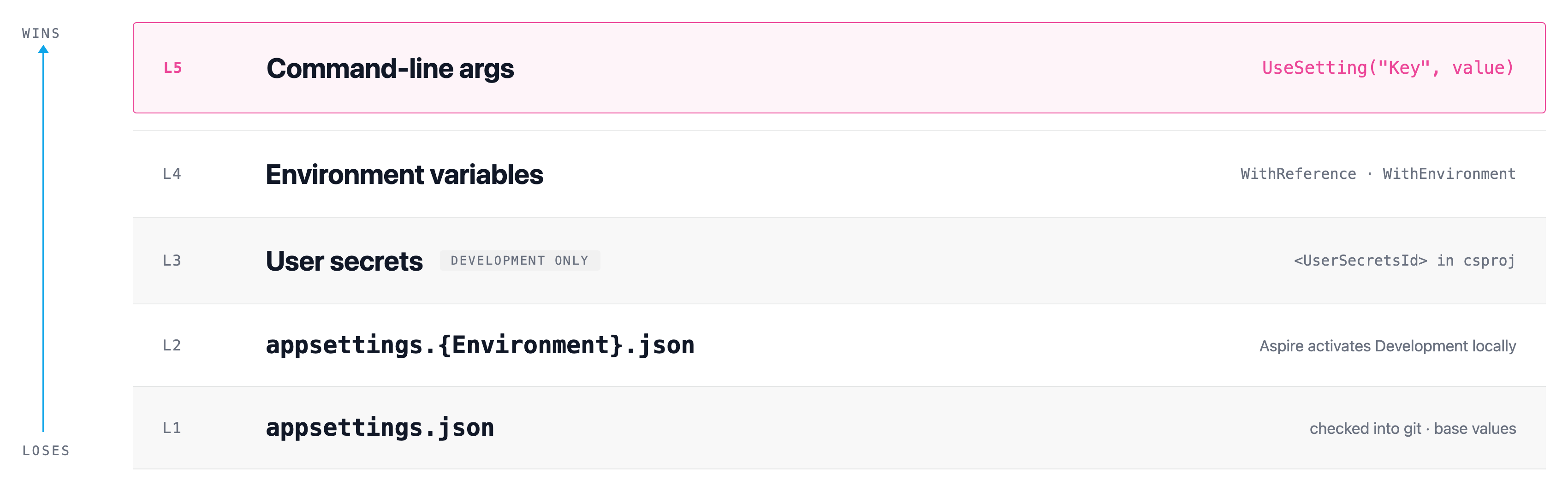
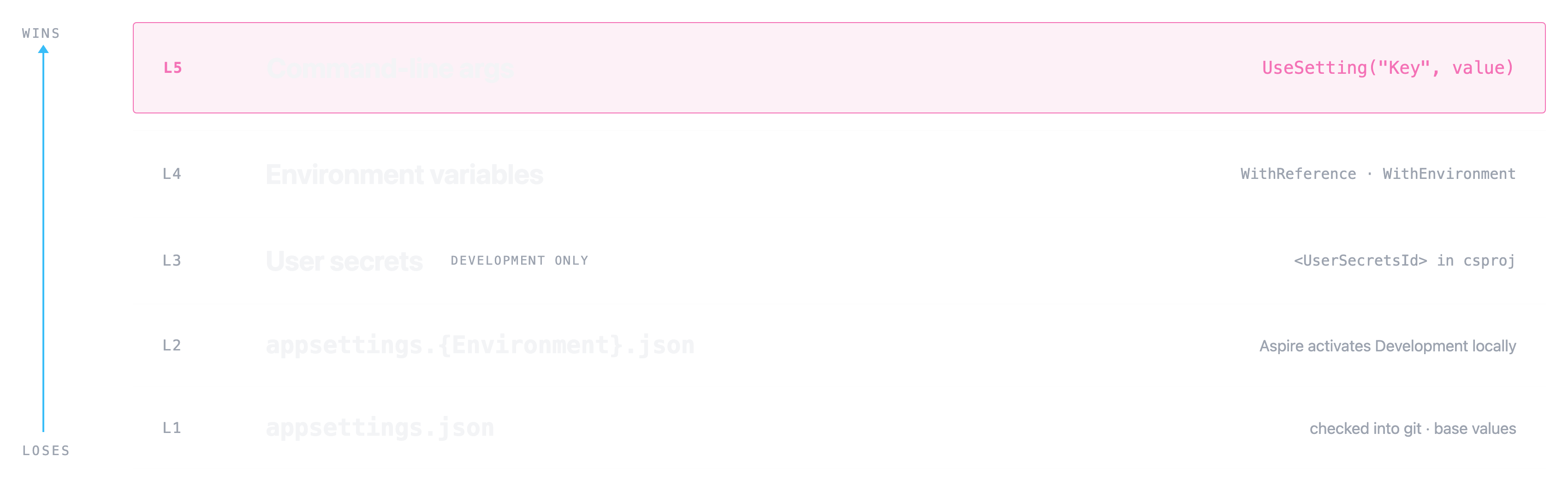
Aspire writes its values at layer 4 (environment variables). That means defaults in appsettings.json are always overridable. Aspire overrides them in dev, Key Vault in prod, tests in CI. You never have to remove a value, only override it. Once that clicks, the rest of the framework is mostly mechanical.
One anti-pattern falls out of this directly: don't put connection strings for Aspire-managed resources into appsettings.json. Aspire generates them at runtime, and they include random ports and access keys. Anything you commit will be stale or wrong.
The three runtime topologies you actually have
The same hosts run in three different contexts, and the config strategy has to work in all of them.
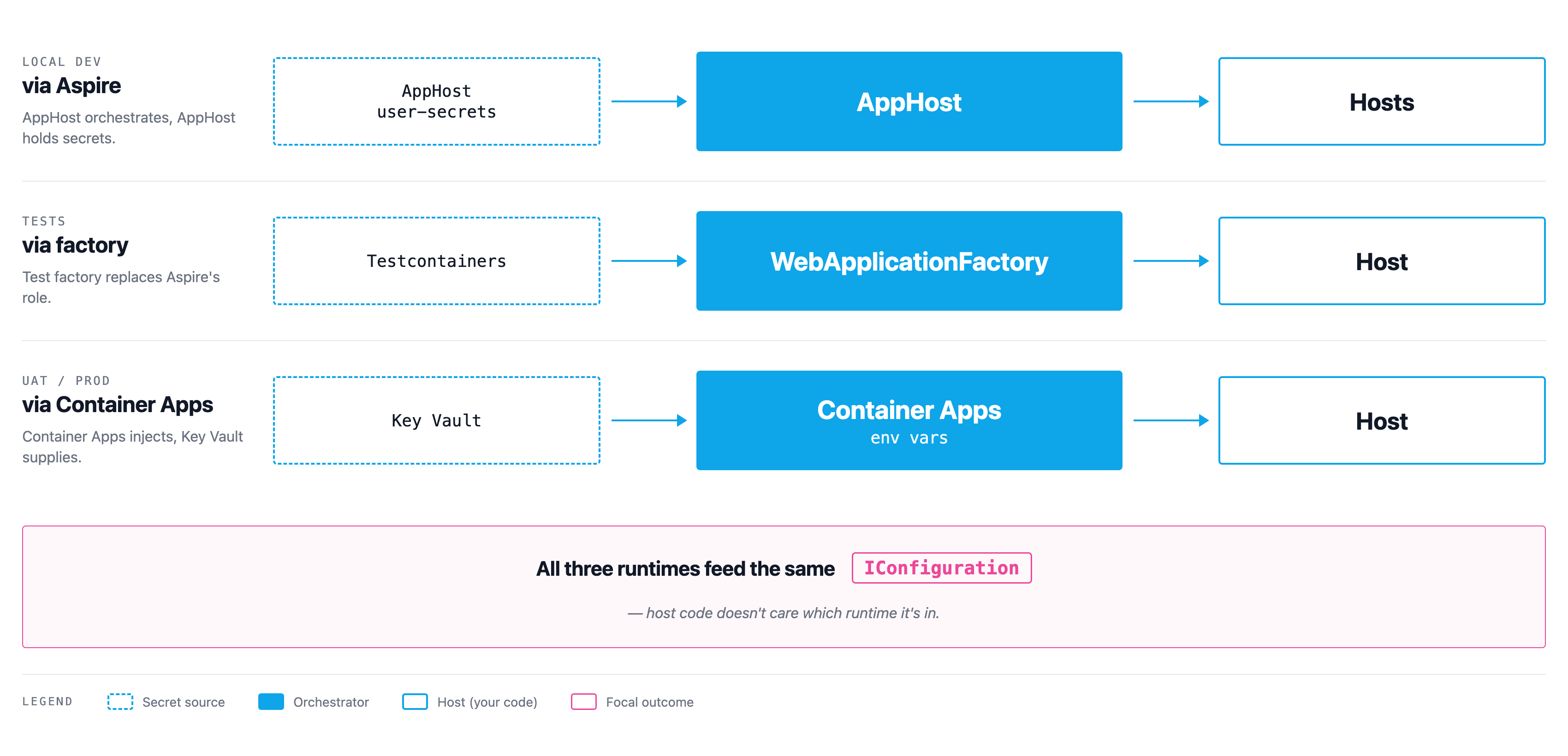
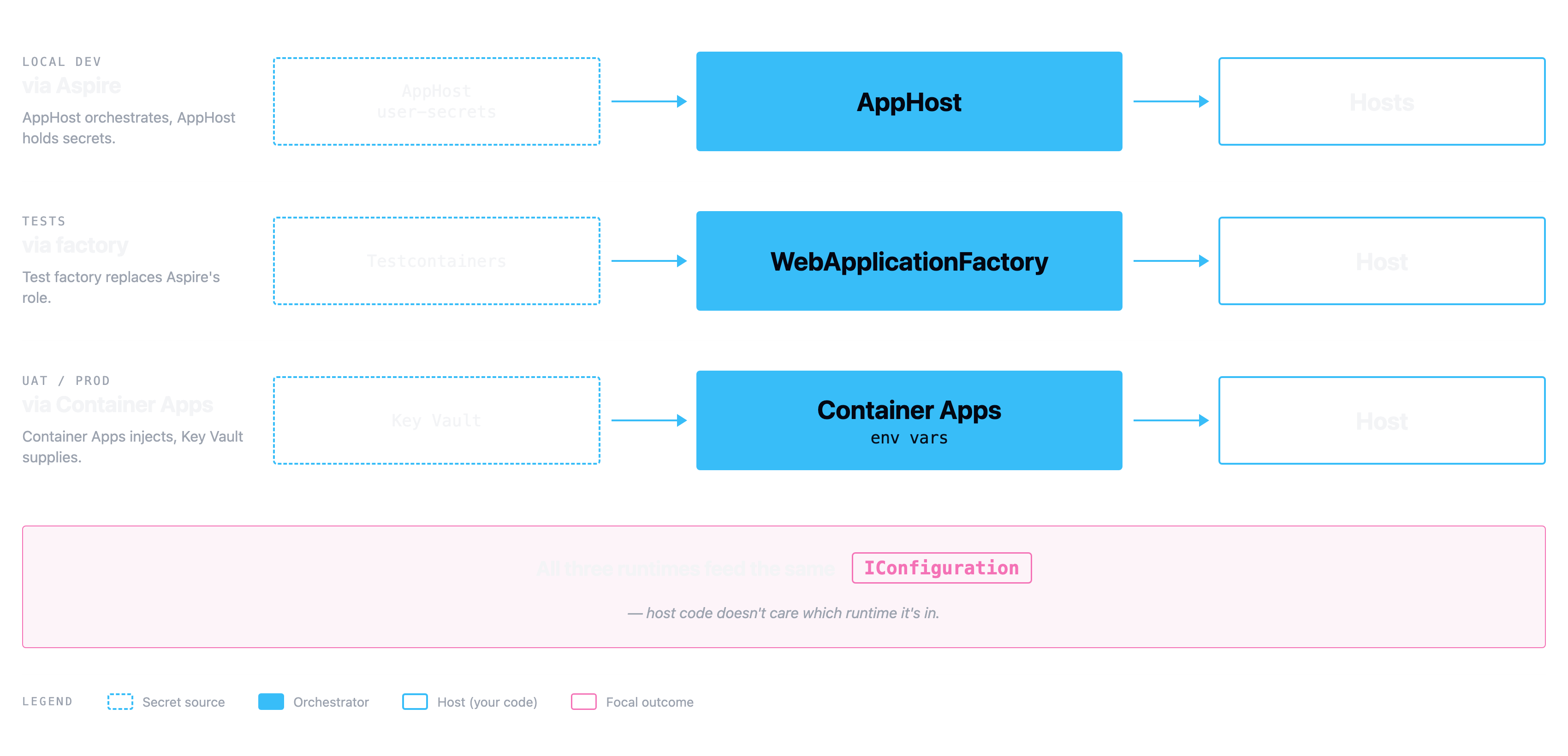
IConfiguration keys into the host code.So how do you stop three runtimes each inventing their own config story? Pick a key path once and use the same path in every topology. Something like Email:Smtp:Password or ConnectionStrings:WorkerQueueStorage. Aspire sets it via env var. Tests set it via UseSetting. Production sets it via a Key Vault reference whose Container Apps env var name happens to be Email__Smtp__Password (double underscore for the colon). The host code reading IConfiguration["Email:Smtp:Password"] doesn't care which runtime it's in.
Get this one right and most of the borderline decisions stop being borderline.
The decision rules in full
The TL;DR table covers the common cases. The full version, with the reasoning attached for the borderline calls:
| Category | Where | How | Rule |
|---|---|---|---|
| Cross-host static defaults | AppHost | appsettings.json under Parameters:foo, builder.AddParameter("foo"), fanned out via WithEnvironment | Two or more hosts need the value. One source of truth, one place to change it. |
| Single-host static defaults | Host | appsettings.json | Lives with the code that reads it. Same value in dev, UAT, prod unless explicitly overridden. |
| Dev-only overrides | Host | appsettings.Development.json | Loaded only when ASPNETCORE_ENVIRONMENT=Development. Aspire sets that for you. |
| Aspire-managed connection strings | AppHost | WithReference(resource, connectionName: "Foo") | Aspire injects ConnectionStrings__Foo at process launch. Never duplicate into appsettings. |
| External connection strings | AppHost | AddParameter("conn", secret: true) in dev, Key Vault reference in deploy | Same key path either way. |
| Cross-host secrets | AppHost | AddParameter("name", secret: true) → AppHost user-secrets → WithEnvironment per consuming host | Rotate in one place. |
| Single-host secrets | AppHost | Same as cross-host, just only pushed to one host | Centralise here too. Aspire's dashboard pays you back at onboarding time. |
| Test connection strings | Test project | builder.UseSetting("ConnectionStrings:Foo", container.GetConnectionString()) | The factory replaces Aspire's role. Use UseSetting, not ConfigureAppConfiguration, for hosts built with WebApplication.CreateBuilder. The deferred builder shim swallows env-var sources added via ConfigureAppConfiguration. |
| Test fake secrets | Test project | builder.UseSetting("Section:Key", "fake-value") | Dummy values so options validation passes without hitting the real service. |
| Test secrets that hit real cloud | Test project user-secrets | Read via IConfiguration in the factory; mark the test [Trait("Category", "RequiresCloud")] and skip if absent | CI without secrets stays green. Devs with secrets configured opt in. |
The UseSetting vs ConfigureAppConfiguration distinction catches almost everyone the first time. It caught me. 🤷 If your host uses WebApplication.CreateBuilder (the minimal-API style, which most modern hosts use), the WebApplicationFactory wraps it in a DeferredHostBuilder shim. Adding env-var sources via ConfigureAppConfiguration in your factory looks like it works, runs without errors, and silently does nothing. UseSetting writes directly to the in-memory configuration at the highest precedence layer (command-line args) and always wins. Use that.
One canonical example, end-to-end
Here's an SMTP password traced through all three runtime topologies.
1. AppHost declares the secret parameter
// AppHost/Program.cs
var smtpPassword = builder.AddParameter("smtp-password", secret: true);
2. AppHost injects it into the consuming host under that host's canonical key
// AppHost/Program.cs
var notifications = builder.AddProject<Projects.Notifications_Worker>("notifications")
    .WithEnvironment("Email:Smtp:Password", smtpPassword);
Email:Smtp:Password is the canonical key path for this value. Every other runtime will use it too.
3. The host's appsettings.json declares the shape but holds no value
// Notifications.Worker/appsettings.json
{
  "Email": {
    "Smtp": {
      "Host": "smtp.example.com",
      "Port": 587,
      "Username": "noreply@example.com",
      "Password": ""
    }
  }
}
Note: empty string, not {{ PLACEHOLDER }}. The shape is documented; the value is supplied by whichever runtime is in charge.
4. The host code reads it the same way regardless of runtime
var smtpOptions = configuration.GetSection("Email:Smtp").Get<SmtpOptions>();
The host has no idea whether the value came from Aspire, a test, or Key Vault. It doesn't need to.
5. Tests supply a fake value via UseSetting
// Notifications.Worker.IntegrationTests/NotificationsFactory.cs
protected override void ConfigureWebHost(IWebHostBuilder builder)
{
    builder.UseSetting("Email:Smtp:Password", "fake-test-password");
    builder.UseSetting("ConnectionStrings:WorkerQueue", _azurite.GetConnectionString());
}
The fake password is enough to satisfy options validation. The test never actually sends an email. A test double handles that.
6. Production wires the same key via a Key Vault reference
// infra/main.bicep: env var name uses double underscore for nesting
{
  name: 'Email__Smtp__Password'
  secretRef: 'smtp-password'  // → Key Vault
}
The Email__Smtp__Password env-var name maps to the Email:Smtp:Password config key. The secretRef resolves to a Key Vault secret. Managed identity does the auth.
The host code at step 4 doesn't change between the three runtimes. It reads a key. Whatever's in charge of the process decides what's behind that key.
Summary
Forget the table for a second. The shape behind it is the part worth keeping: one read path (the canonical key) and three write paths (Aspire, tests, deploy infra). Each write path uses a different mechanism, but all of them land on the same key. Defaults sit at the bottom of the precedence stack and get overridden by whichever runtime is in charge.
Once that mental model is in place, the "where should this go?" question has a deterministic answer. Cross-host non-secret? AppHost Parameters:. Aspire-spun connection string? WithReference. Test override? UseSetting. Production secret? Key Vault reference with the same key name. Everything else is bookkeeping.
The one piece I'd genuinely push back on if you're tempted to skip it: document the test-config convention as a short ADR. UseSetting vs ConfigureAppConfiguration is the kind of subtle thing that catches every new contributor exactly once, and it's much cheaper to write down than to debug. Especially if your team has any rotation, write it down.
Resources
- .NET Aspire documentation: the official guide to the AppHost and orchestration model
- Configuration in ASP.NET Core: the precedence chain in full detail
- Safe storage of app secrets in development: the
dotnet user-secretsreference - WebApplicationFactory in integration tests: the test-side mechanics